Our own scanner gave magekwik.com an F. This is how we got to 80
Kishore Adobe Commerce Certified Professional 6 min read
Covers events from 16 October 2026.
We pointed our Magento security scanner at our own website and it scored 13 out of 100. What the F meant, what we changed, the scanner bug we found on the way, and why 80 is the most any Magento shop can score from outside.
We build a security scanner for Magento shops. In October we pointed it at our own website, magekwik.com, and it gave us an F: 13 out of 100. This is what that grade meant, what we changed, where the scanner itself turned out to be wrong, and why we stopped at a B on purpose.
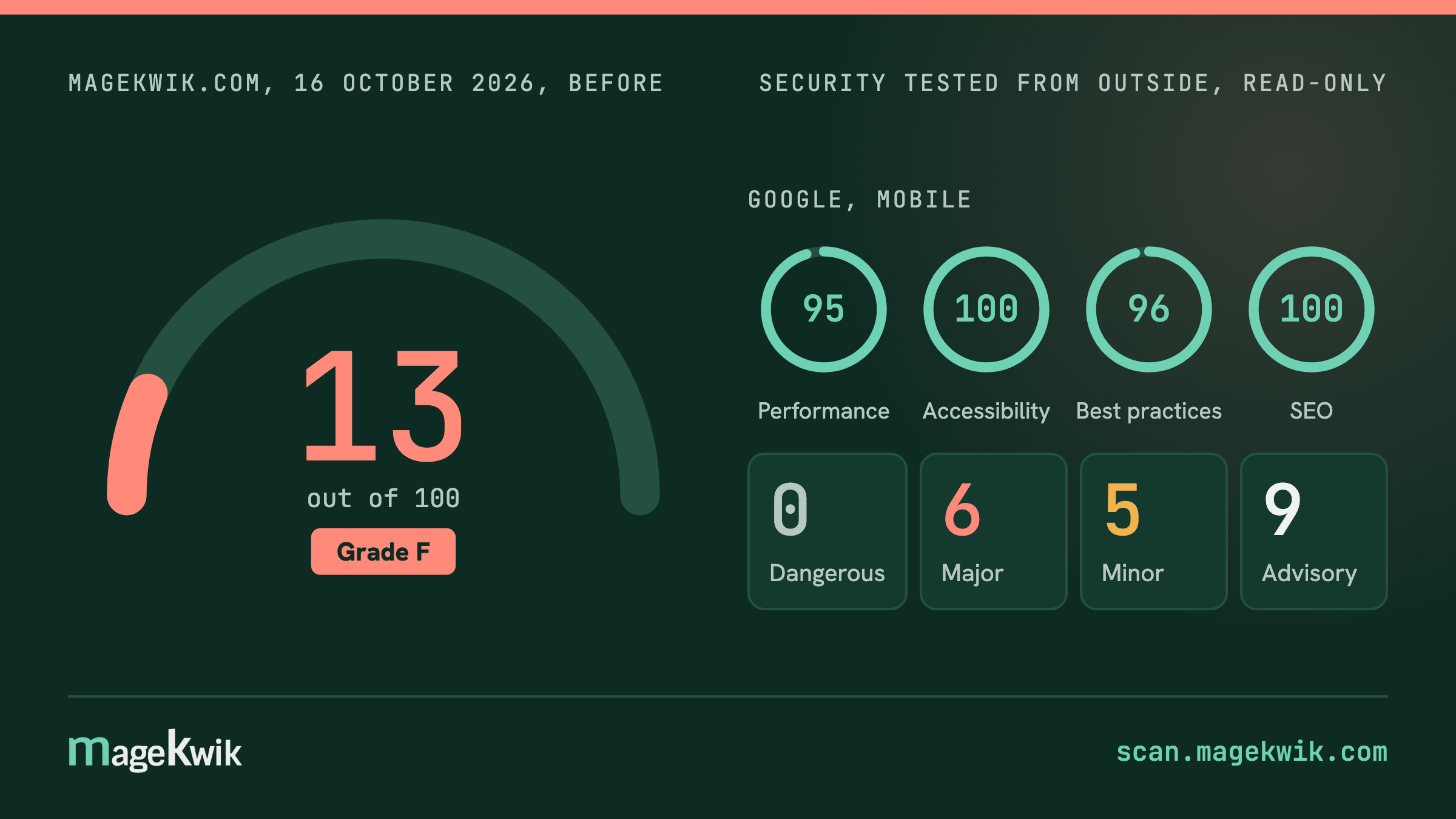
What the F meant
The grade only counts things the scanner could prove from outside, the way any visitor or attacker would see the site. It found eleven. None of them meant someone had broken in. Each one made it a little easier for someone to try:
- The checkout ran code it did not need. Two scripts from a payment provider we stopped using years ago, and our chat assistant, all loading on the page where people pay. Every script on that page is a way in for card-skimming malware, so it should carry only what payment needs.
- The site's rulebook for browsers was switched to "watch only". Magento comes with a list of the places a page is allowed to load code from. Ours reported anything odd and blocked nothing.
- Public addresses described the site's insides to anyone who asked: the exact software line, a full map of the site's data connections, and the list of its older-style connections.
- Browsers were not told to always use the secure connection, or how much to share when someone clicks a link away.
- Our email anti-forgery setting only watched. It did not ask inboxes to reject email pretending to be from us.
- The robots file named an admin address. A decoy, as it happens, but it still tells people where to look.
One of those things on its own is ordinary. Eleven of them on a security company's own website is the first thing a developer would check before trusting our reports. So we fixed them.
What we changed
Three changes went live together, in one deploy on 17 October, so we have one score from before and one from after:
- Closed the addresses that described the site. We switched off the public map of the site's data connections and the developer feature that lists it, and told browsers to always use the secure connection and to share less when someone follows a link away.
- Emptied the checkout. We removed the payment software we no longer use, and moved the chat assistant off the basket and checkout pages. It still answers questions everywhere else.
- Switched the browser rulebook from "watch" to "enforce". This was the one that could break things, so we looked first: our scanner had been collecting every warning the "watch only" rulebook raised from real visitors. There was one, a visitor counter that Cloudflare, the network in front of our site, adds. We approved it, tried every page and the checkout on a copy of the site, then switched it on. The warnings still come to us, so if the rulebook ever blocks something real, we hear about it the same day.
Most of this was configuration
The scanner got one thing wrong
The report said our site used a version of a common building block, jQuery, from 2016 with three known weaknesses. It does not. The file says 3.7.1, the current one. The scanner was reading a comment in the file, written by jQuery's own authors, that mentions the old version number.
That mistake would have shown up on every Magento shop running a recent version, sending owners to check a problem they did not have. We fixed the scanner, added a test so it cannot come back, and that fix now runs for everyone who scans. Pointing the tool at ourselves found a bug that would otherwise have reached every customer.
Why we stopped at 80
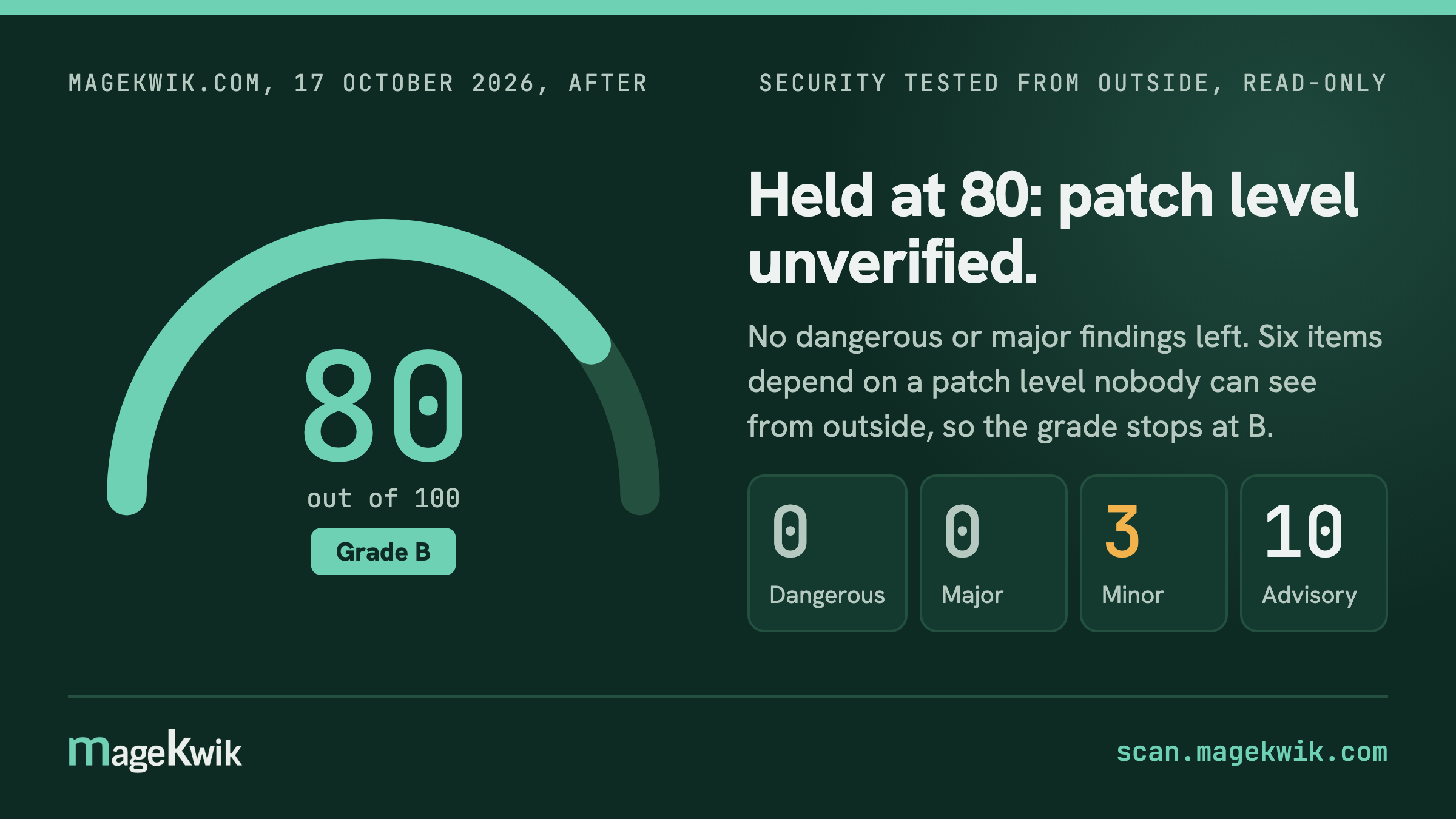
Magekwik.com now scores 80. That is the highest score our scanner gives any Magento shop, and it will stay that way.
The reason is one thing nobody can see from outside: whether the shop has installed the latest security updates. Adobe fixes serious flaws in Magento several times a year. A scan can tell that a shop runs Magento 2.4, but not which updates it has. So the report always lists the recent flaws as "check your update level", and while anything is left to check, it will not give an A.
We could have hidden those items, or counted them as passed for our own site. We did neither. A report that says "nothing we could prove is seriously wrong, and here is what only you can confirm" is worth more to you than an A we cannot back up.
What is still there, and why
The two items we called next are done. On 24 October the robots file stopped naming the admin address, the email anti-forgery setting moved from watching to quarantining forged mail, and the address of the server behind Cloudflare came out of the email records. The rescan that day dropped all three findings. The score stays at 80 for the reason above. This is what remains:
- The chat assistant on ordinary pages loads without a fingerprint check. Its maker updates it all the time, so a fingerprint would break it with every update. The report still lists it, and we have accepted that.
- The browser rulebook still allows code written into the page itself. Removing that means rewriting every small script in the site's templates. It is on the list for later.
- The real checkout, with something in the basket, loads the card payment provider's own code. Every shop that takes cards has that. The scanner looks at the checkout with an empty basket, so this does not show in the grade, and we would rather say so here than let the number say more than it should.
Do the same for your shop
The scan is free and takes under a minute: put your shop's address in at scan.magekwik.com. The report starts with the thing to fix first, written for you, with the exact steps for whoever looks after the site. If you would rather we did the work, this is what our care plans do, every month, on shops like yours.
References & sources
Primary sources: advisories, vendor research and the CVE record. Verify against these rather than against us.